Your AI coach
Get help with your next session.
Ask for a routine, find an exercise alternative, or talk through your progress. Your coach uses your training history to help you decide what to try next.
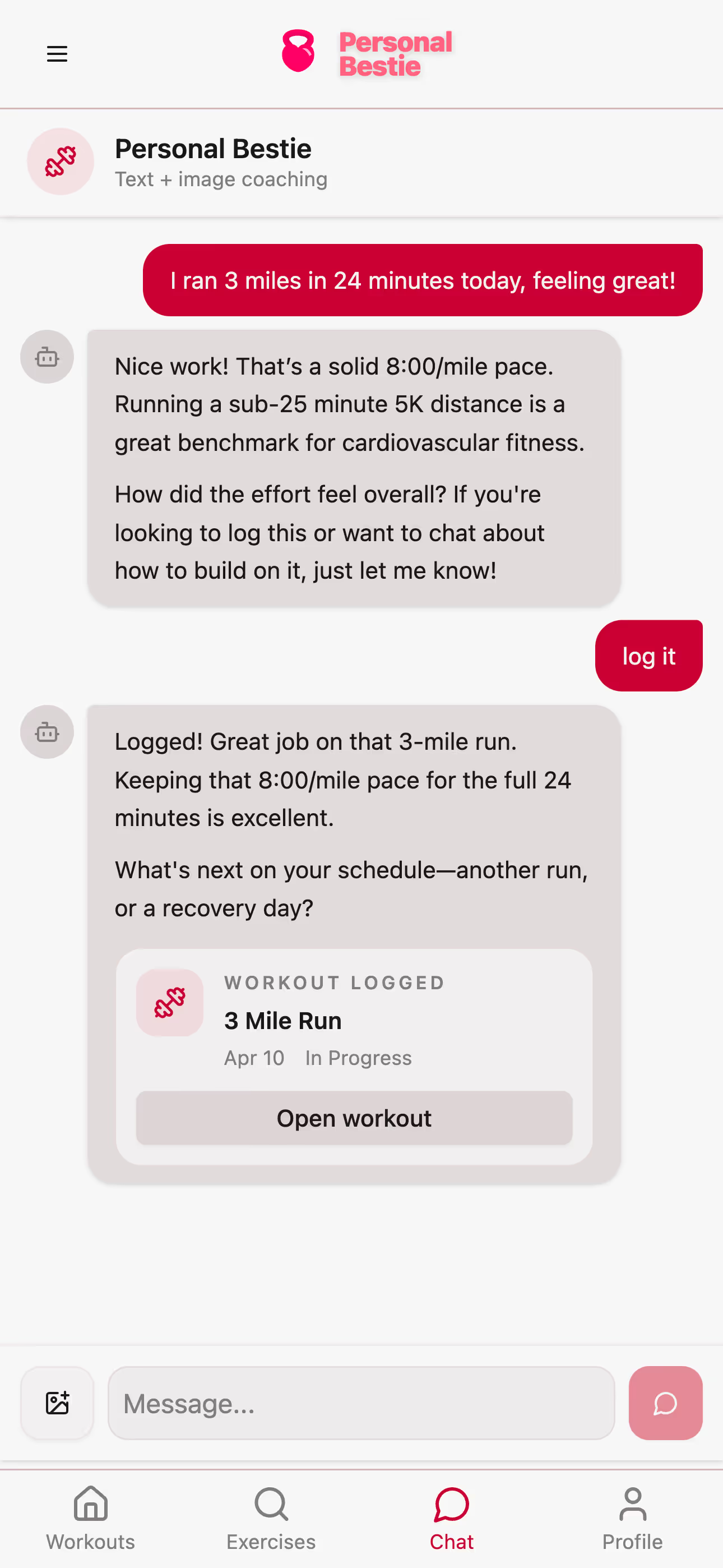
Paste what you trained—“squats 3×8 at 60 kg”—and PersonalBestie turns it into a workout log. Track your personal bests and get suggestions based on your training history.
Sign in to log through chat. Or explore manual tracking as a guest.
Ask for a routine, find an exercise alternative, or talk through your progress. Your coach uses your training history to help you decide what to try next.
Keep your exercises, sets, reps, and weights together in an editable workout log. Add notes about how each exercise felt so you have that context next time.
Keep a record of your personal bests for each exercise. See the sets behind your milestones and know what you're working toward next.
Explore your exercise history in interactive charts. Switch between max weight and total volume to see how your training changes from session to session.
Create a routine yourself or ask AI to help, then use it for your next workout. Share it with a link anyone can open in their browser.
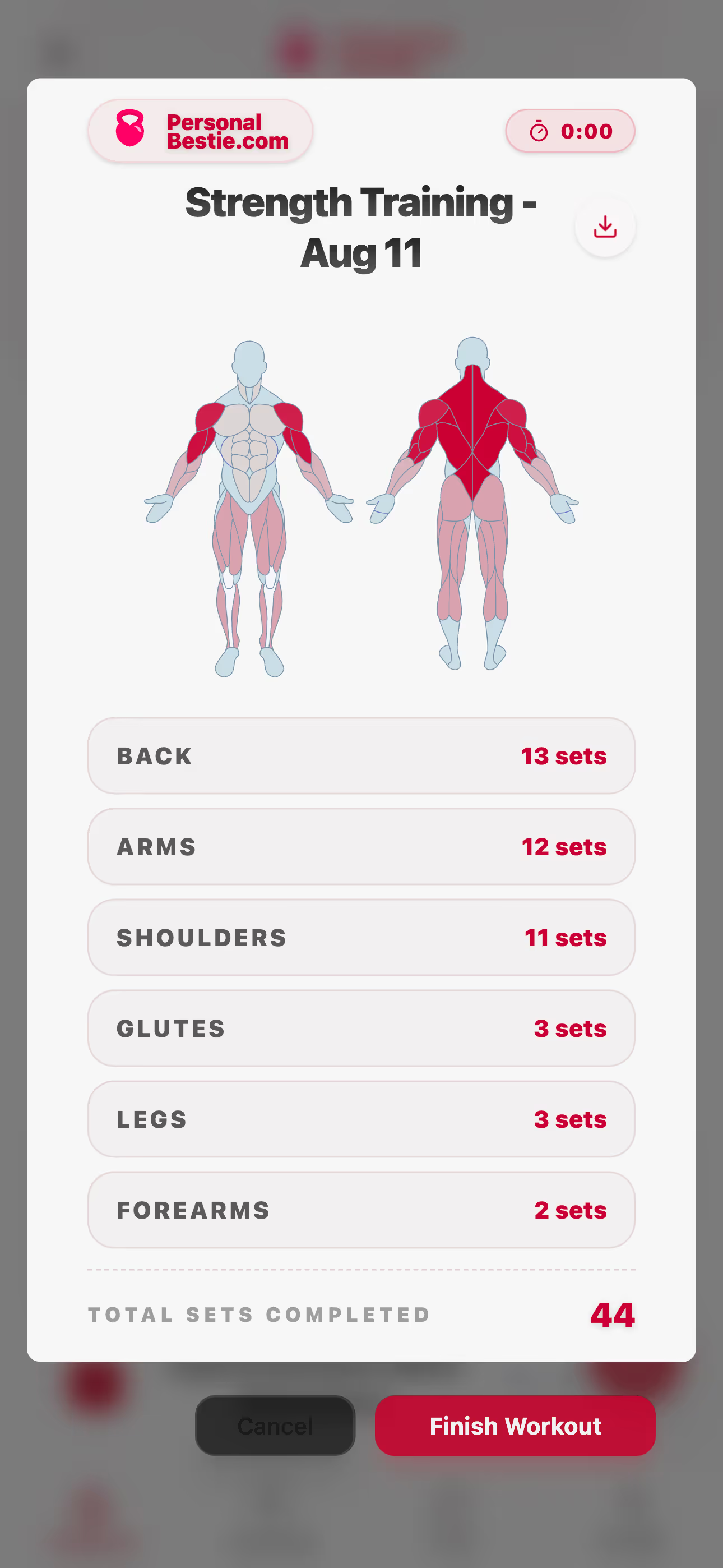
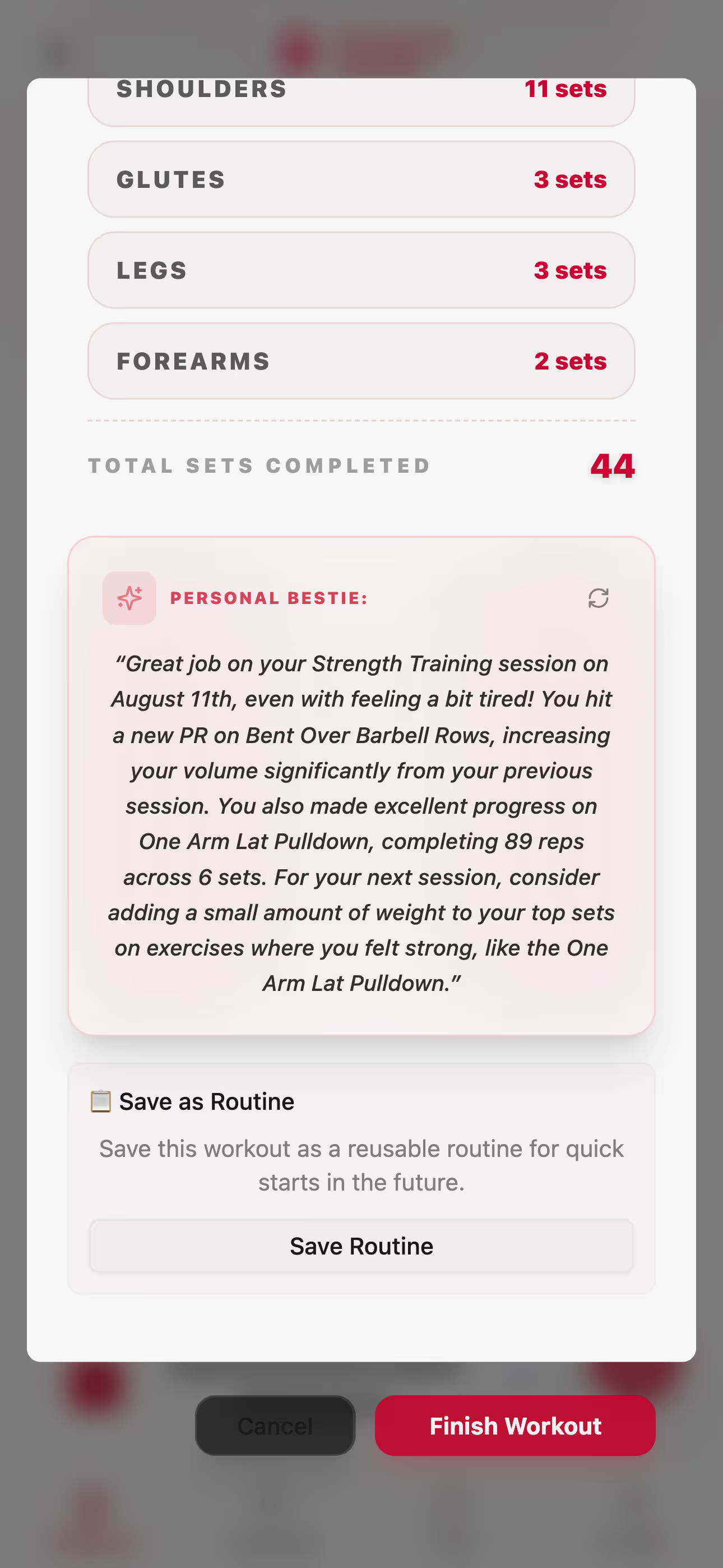
Finish your workout to get a recap grounded in your sets, volume, personal records, and notes. See what stood out and get suggestions for your next session.
Your saved workouts give you a starting point each time you train. Look back at what you lifted, see how it has changed, and choose what to work toward.
Send your exercises, sets, reps, and weights to your Bestie in chat. Use the shorthand you already know—no template needed.
Open the workout log to check the exercises, weights, and reps. Correct anything that needs changing and mark the sets you completed.
Review what stood out in your workout recap. Compare your progress with earlier sessions and ask your Bestie what you could try next time.
Connect PersonalBestie to an MCP-compatible AI assistant. Review your workout history, find exercise alternatives, create routines, and log sessions—all in the conversation.
You control access. Choose read-only or read-and-write permissions, and revoke access anytime.
See how PersonalBestie compares to mainstream gym apps. Enjoy unlimited routines, instant local guest logging, and automated AI coaching recaps—free without subscriptions.
Why grounded session data matters more than generic coaching language.
A cleaner approach to seeing progression through sets, reps, and intensity.
What a shareable routine page should include if you want someone else to actually use it.